StockChat Join the beta

Free beta · iPhone

Your group chat now speaks fluent stock market.

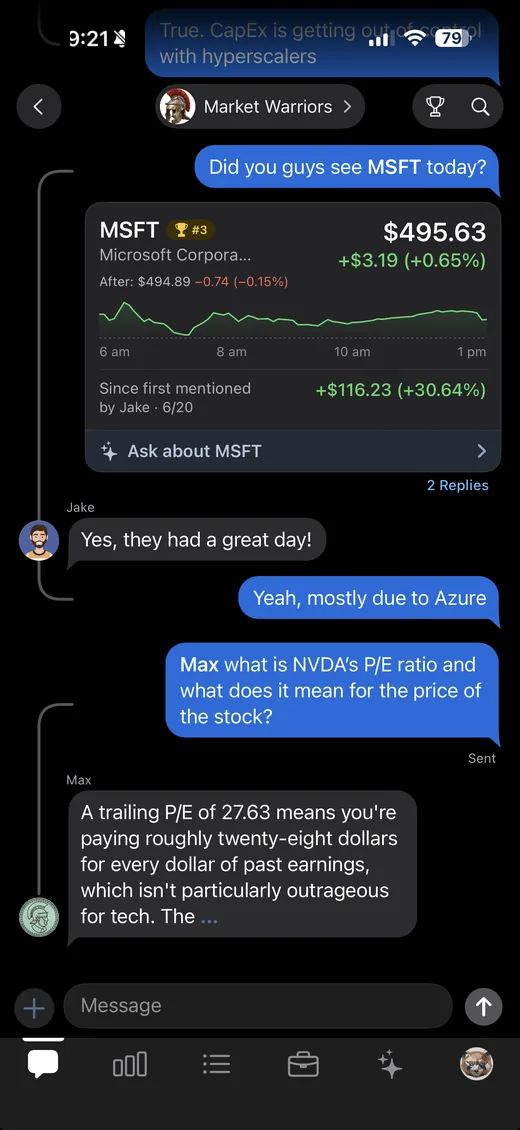
StockChat is an iPhone private group chat built for talking stocks with your friends. Same bubbles, reactions and replies you already use, with live market data inside the conversation. Type $NVDA and a card drops into the thread: price, chart, and how far it has run since whoever said it first. Coins work the same way, so $BTC-USD lands right next to it. Nothing to look up, nothing to paste in.

iPhone only · your groups stay private · delivered through Apple TestFlight

How it works

Three taps in, it's just your group chat.

It's the thread you already have with these people. It just never forgets who made the call.

1

Start a group

Name it, get a link, send it to the people you want in. Groups are invite-only: there is no public feed and nothing to discover. If the group is an investment club, it works the same way.

2

Talk like you always do

Real bubbles, reactions, replies, typing dots. Mention a ticker with a $ and the live card appears inline. Coins too: $BTC-USD, $ETH-USD, $SOL-USD.

3

The app keeps score

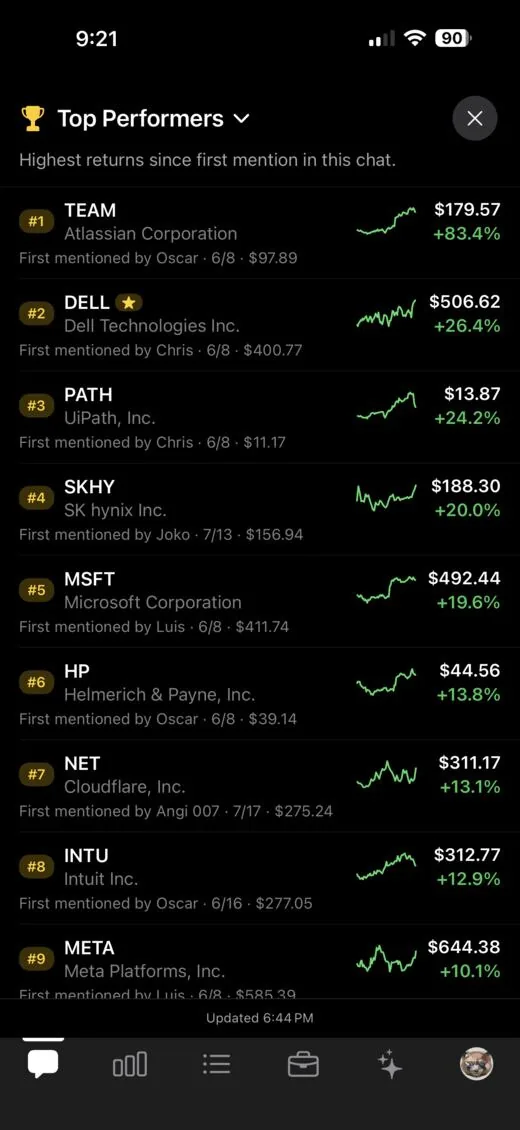
Every ticker is timestamped to the moment it was first said, and ranked by what it has done since. Bragging rights, automated.

Top performers

Receipts, whether you want them or not.

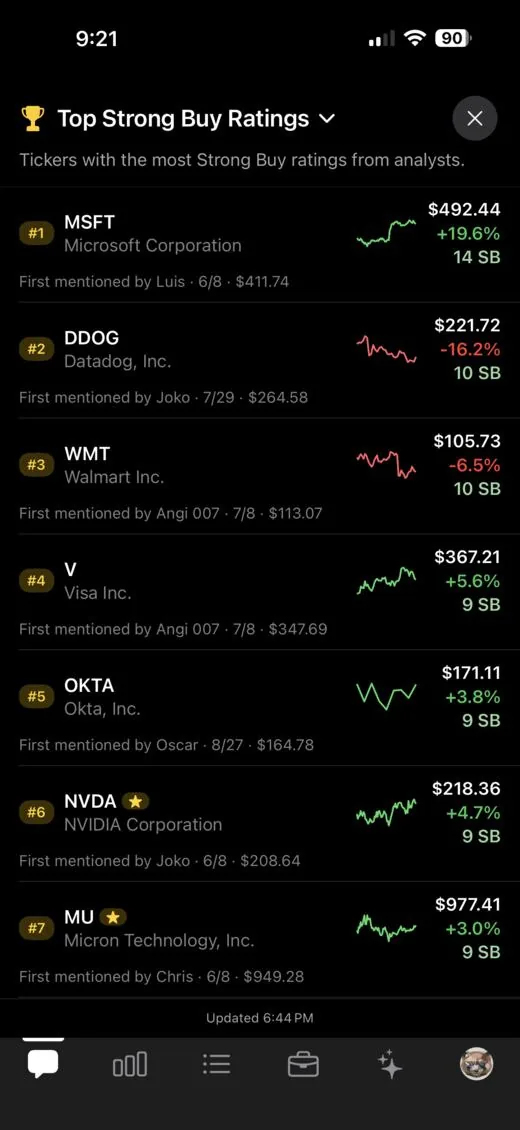
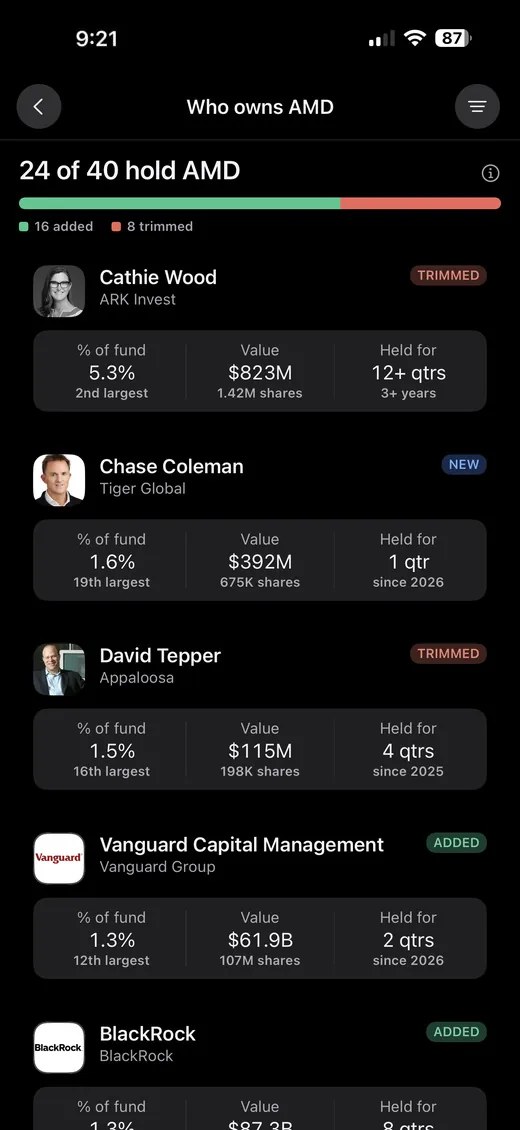
The leaderboard builds itself from the conversation. Every ticker anyone mentions is logged at that moment's price, then ranked by how much it has gained since, with the date and the name of whoever called it.

  • No manual tracking. Nothing to pin, tag or maintain.
  • Price then vs. price now, side by side with a sparkline.
  • Credit where it's due. The caller's name rides along.
  • Stocks and coins in one board, and the coin rows keep moving overnight and on weekends.
The Top Performers panel ranking tickers the group mentioned, each showing who mentioned it first, the price then, the price now, and the percent gain.

Paper trading

Practice without putting anything at risk.

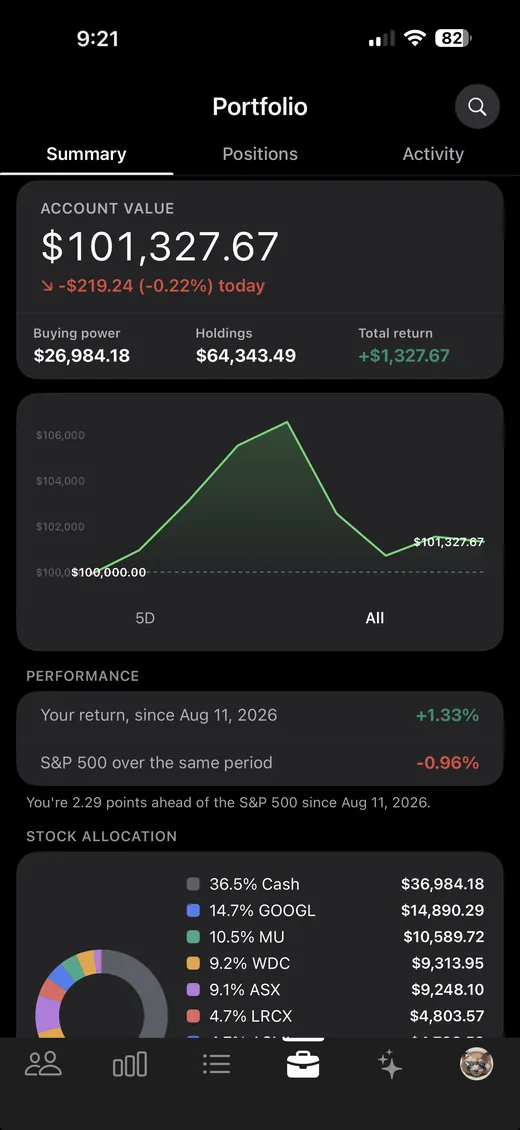
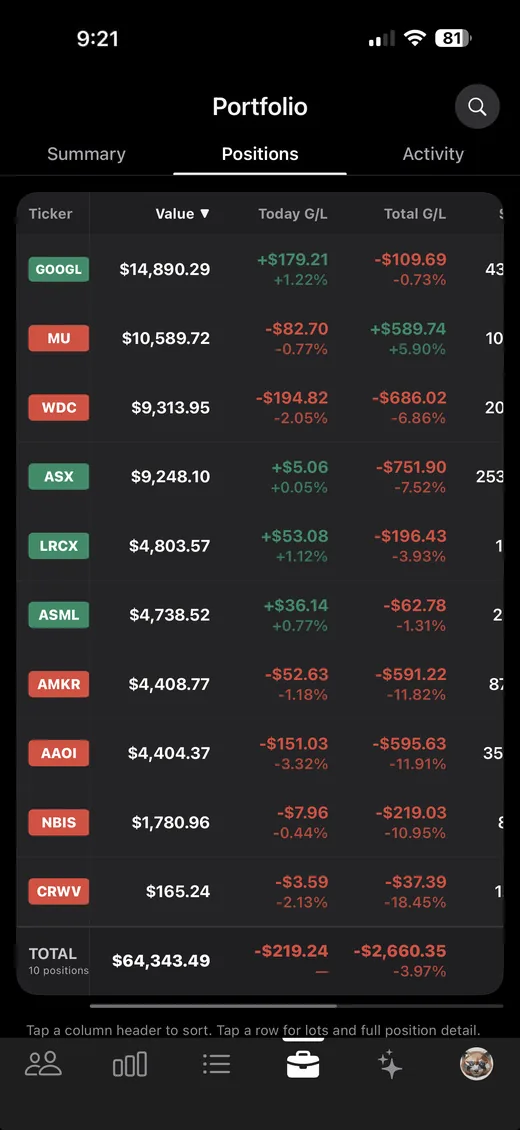
Turn it on and you get $100,000 in simulated cash. Real prices, real order mechanics and a record of everything you did, with none of your own money in it.

  • $100,000 in simulated cash. Nothing to fund, no card, no brokerage account.
  • Real market prices, in whole shares or dollar amounts.
  • Your return next to the S&P 500 over the same period, so the credit is honest.

More on paper trading

The StockChat Portfolio summary: account value, an equity curve, and the return next to the S&P 500 over the same period.

Research, in the same app

Tap any ticker, get the whole picture.

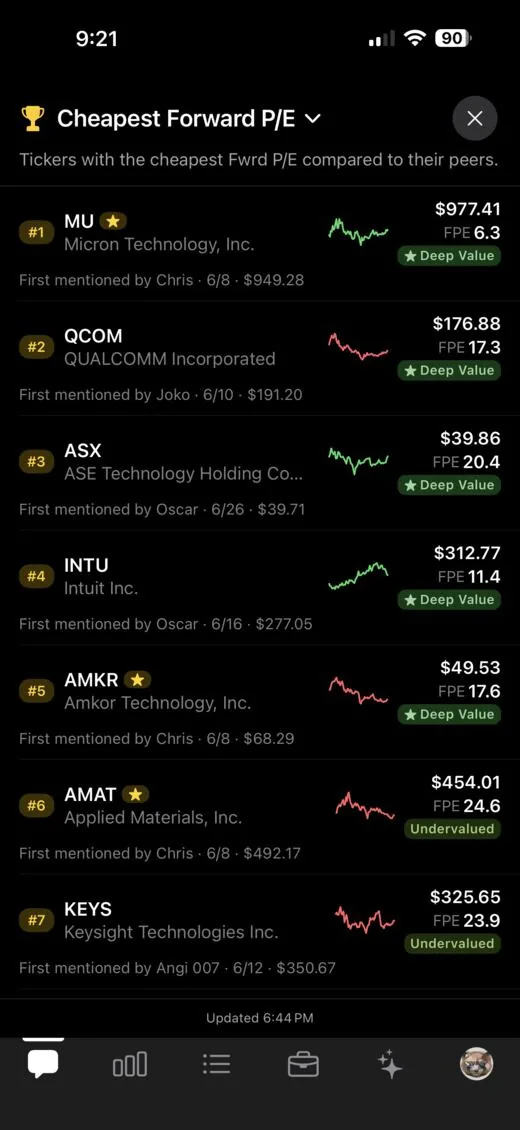
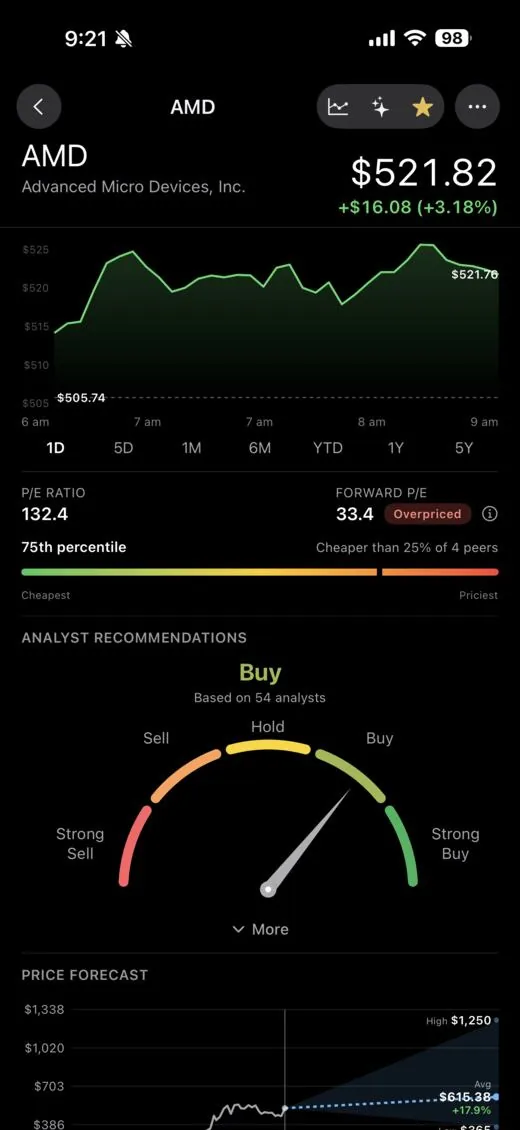
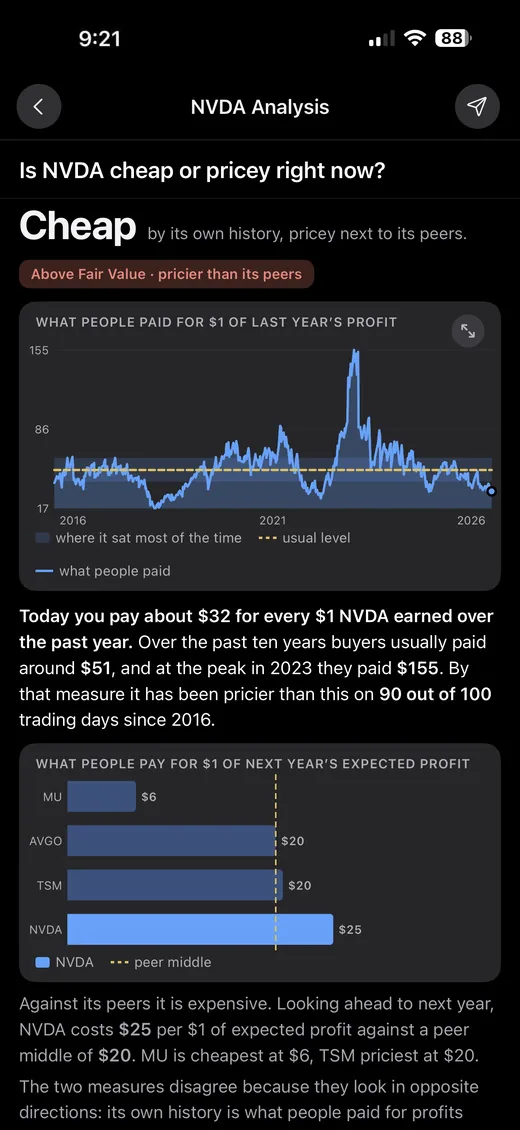
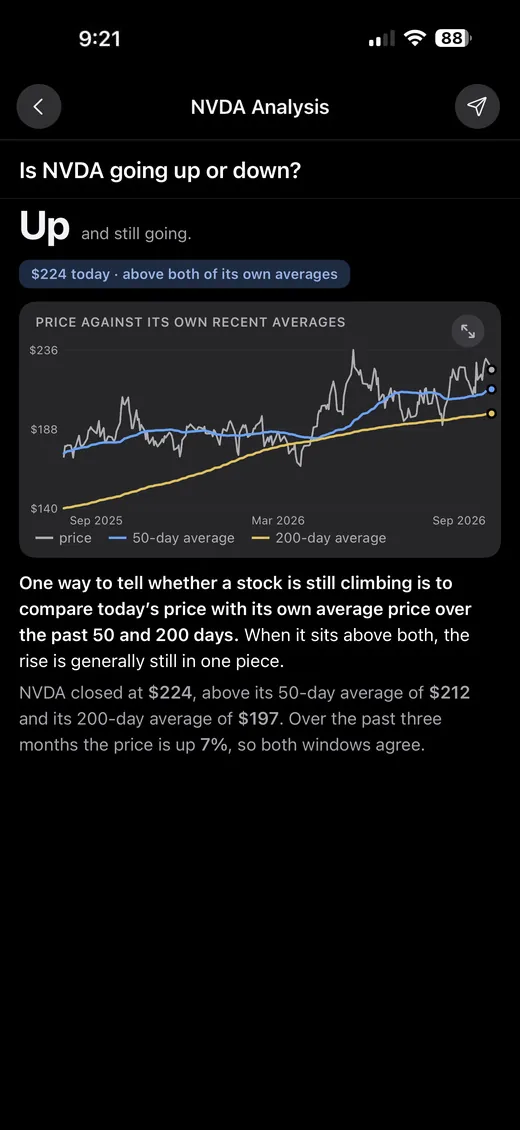
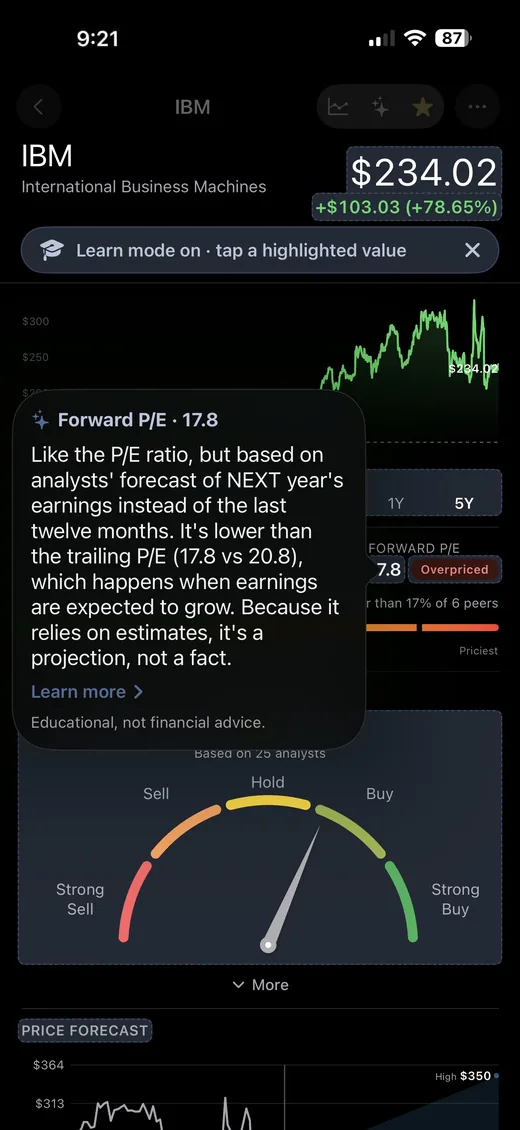
Scrubable charts from one day to five years, the metrics that actually move a decision, analyst consensus, and a forward P/E that tells you where a name sits against its own peer group instead of leaving you to guess.

  • Valued in context. Cheap or pricey relative to peers, not in a vacuum.
  • Analyst consensus + price targets, high / average / low.
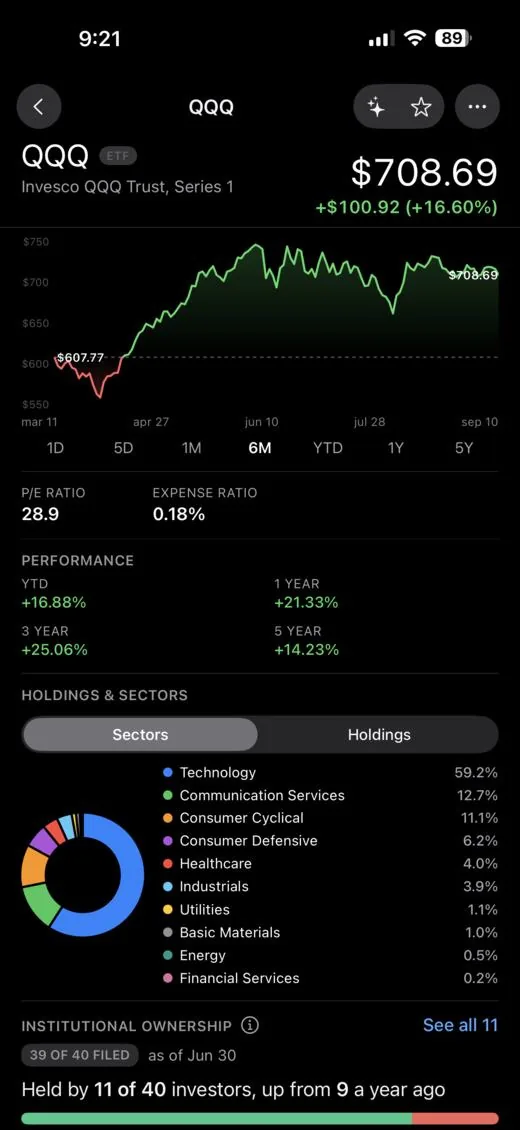
  • ETFs done properly. Top holdings, sector mix, expense ratio.
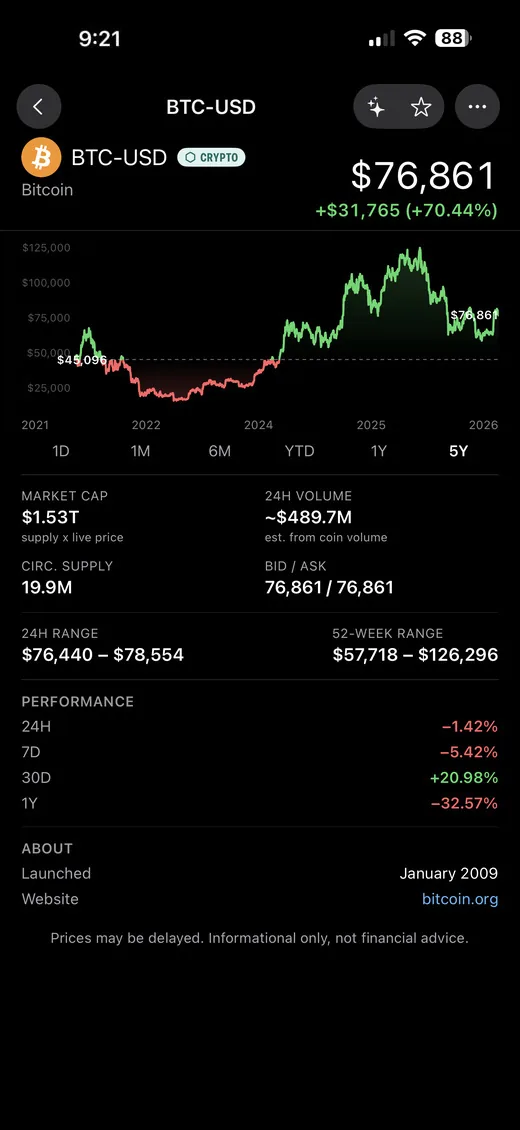
  • Crypto gets the same page. Add -USD to a coin's ticker, like $SOL-USD, and it opens a full card: price, scrubable chart out to five years, market cap, supply and what the coin actually is.
The stock detail screen for MU showing a six-month chart, P/E and forward P/E with a Deep Value badge, a peer comparison bar reading cheapest of 7 peers, an analyst recommendation gauge reading Buy from 46 analysts, and a price forecast with high, average and low targets. The same screen for the QQQ ETF, showing the expense ratio, multi-year performance, and a sector breakdown donut chart.

Learn mode

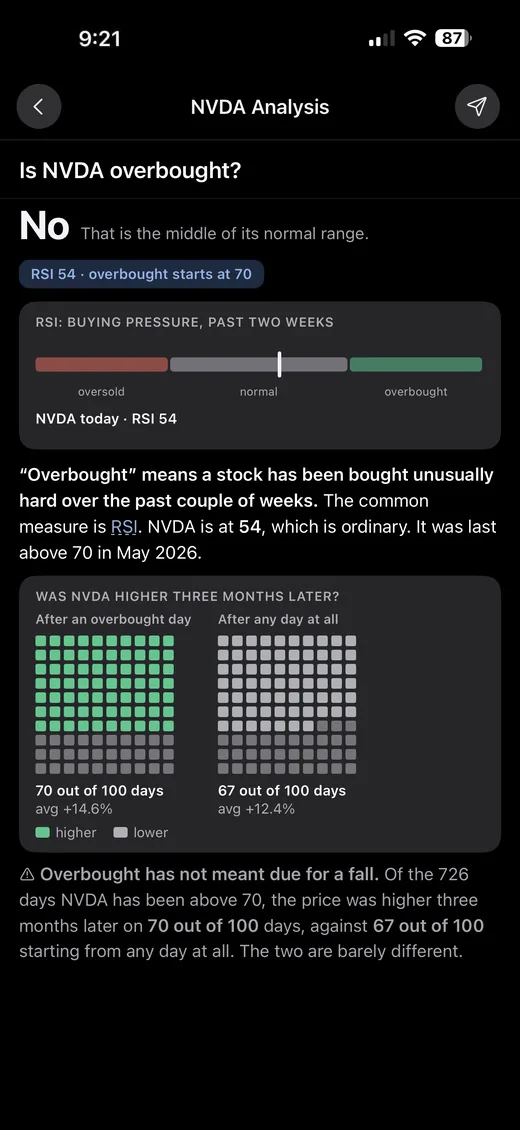
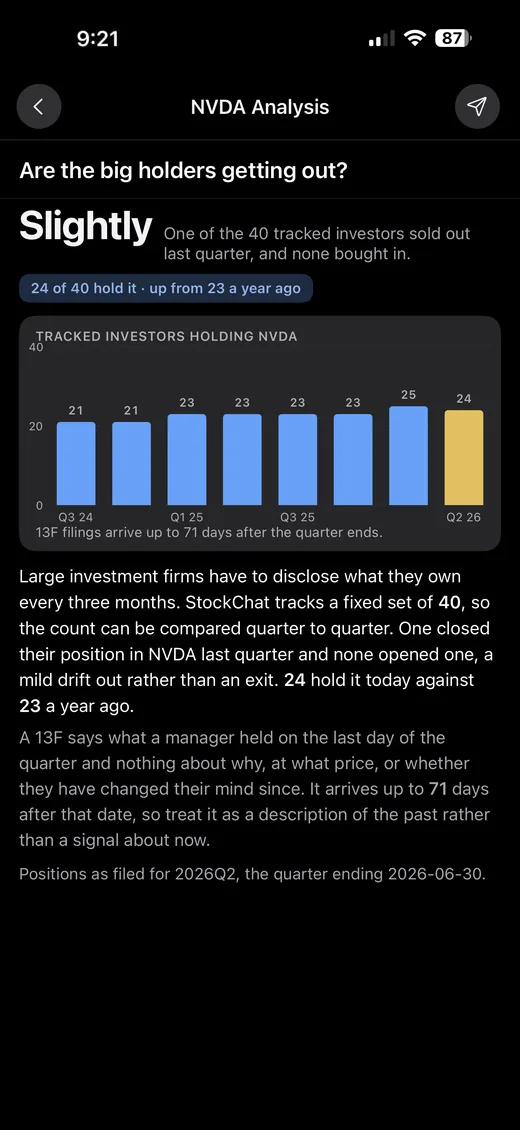
Every number on the page explains itself.

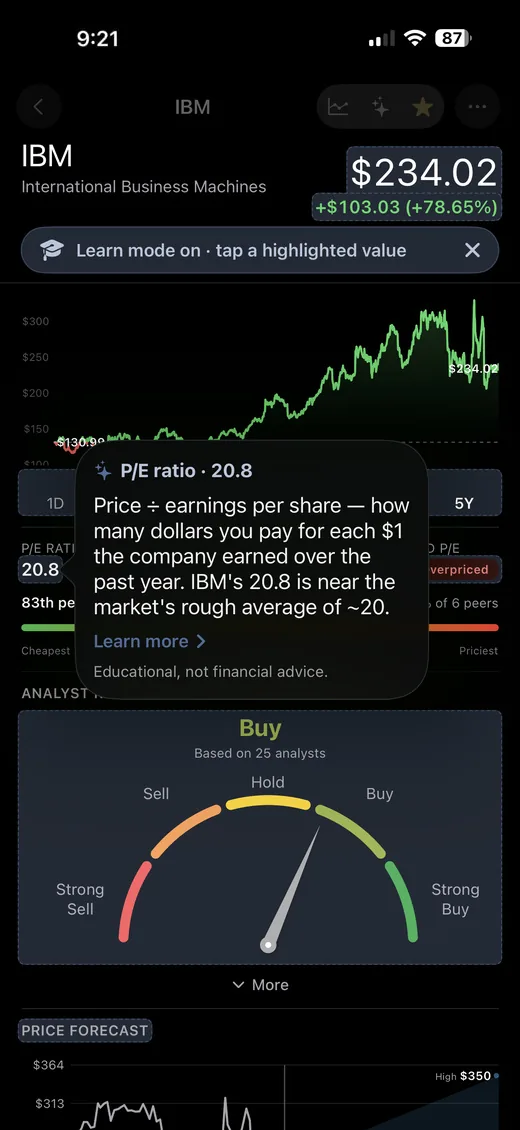
Flip on Learn mode and every figure on the page becomes tappable. Tap P/E ratio and you get it in plain English: what it divides, what it tells you, and how this company's number stacks up against the market. No tab-switching, no glossary to go read first.

  • Explained in context. It uses the company's real figure, not a textbook example.
  • Go deeper only if you want to. Every explanation has a "Learn more".
  • Off until you ask for it. Turn it on for one stock, dismiss it, or leave it on.
IBM's stock page with Learn mode on: the metrics are outlined as tappable, and a popover explains the P/E ratio of 18.4 in plain English with a Learn more link.

Meet Max

Your group chat has a market analyst in it.

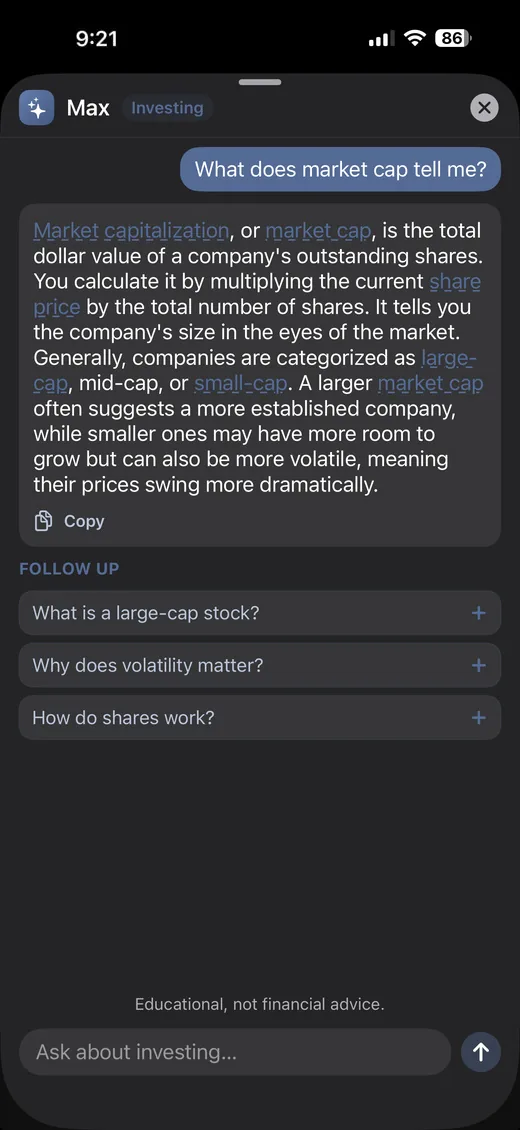
Max is a member of the group, not a chatbot behind a button. Type @max, ask about a stock or the market, and the answer lands right in the thread: everyone sees it, replies to it, and argues with it. Two thousand years old, still can't time the market.

  • @max what's MU's forward P/E?
  • @max what does it mean when an analyst says a stock is a buy?
  • @max why is NVDA down 8% today?
  • @max is ETH's drop today just following bitcoin?
  • @max is MU making enough cash to pay down its debt, or is it all going to fabs?
  • Grounded in real numbers. Price, P/E, margins, debt, cash flow, and live coin prices when you ask about crypto. If he doesn't have a figure, he says so instead of guessing.
  • Or ask privately. Every stock card has an Ask about $TICKER button, with the answer yours to share to the chat or keep.
  • Jargon is tappable. Unfamiliar terms explain themselves in plain English.
  • Educational, not advice. He'll give you a lean and the risk that comes with it, never "buy this." Every answer says so.

Markets

A morning read that takes ten seconds.

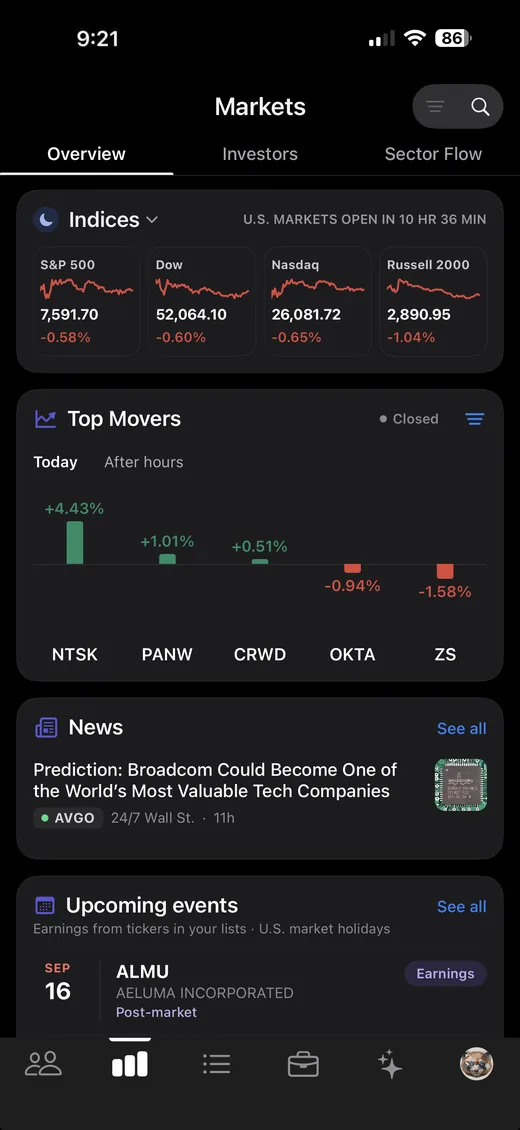
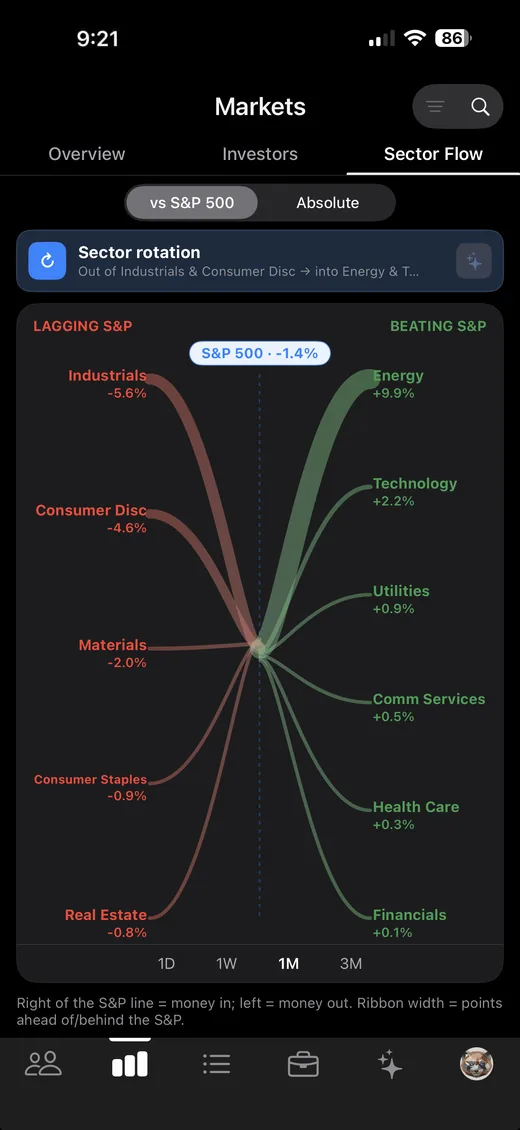
Indices, the day's biggest movers, the headlines behind them, and the earnings dates for the tickers you actually follow. Then a sector-flow view that shows where money rotated this week, and where it rotated out of.

  • Top movers for the regular session and after hours.
  • News that tells you who it's about, every headline tagged with its ticker and source.
  • Upcoming earnings filtered to your lists, plus market holidays.
  • Sector rotation at a glance, absolute or measured against the S&P 500.
The Markets tab showing the S&P 500, Dow, Nasdaq and Russell 2000, a top movers chart, headlines tagged to the tickers they cover, and upcoming earnings and market holidays. The Sector Flow view showing money rotating out of Technology and into Energy and Real Estate over one week.

Lists

Your watchlists, and your friends'.

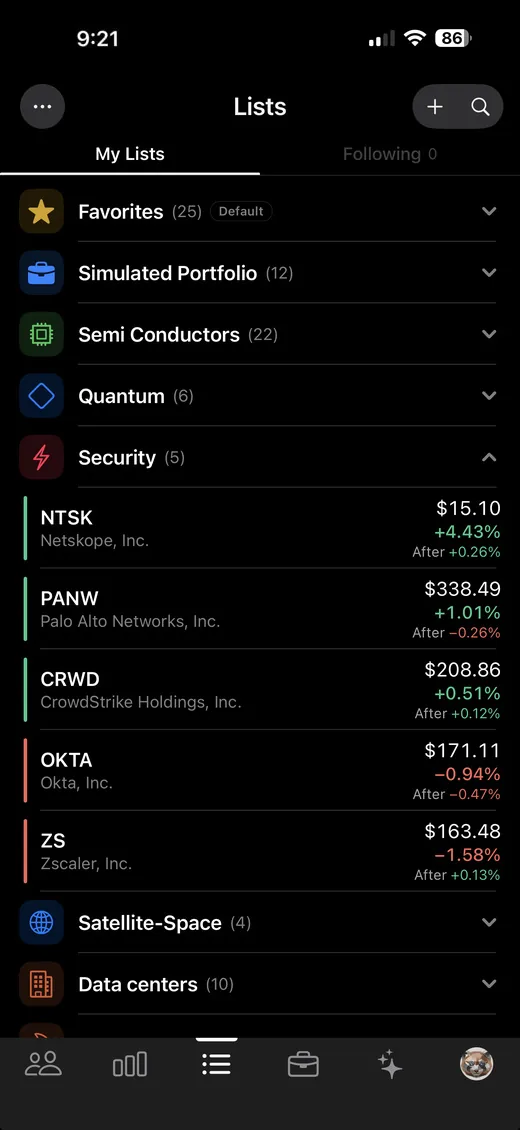
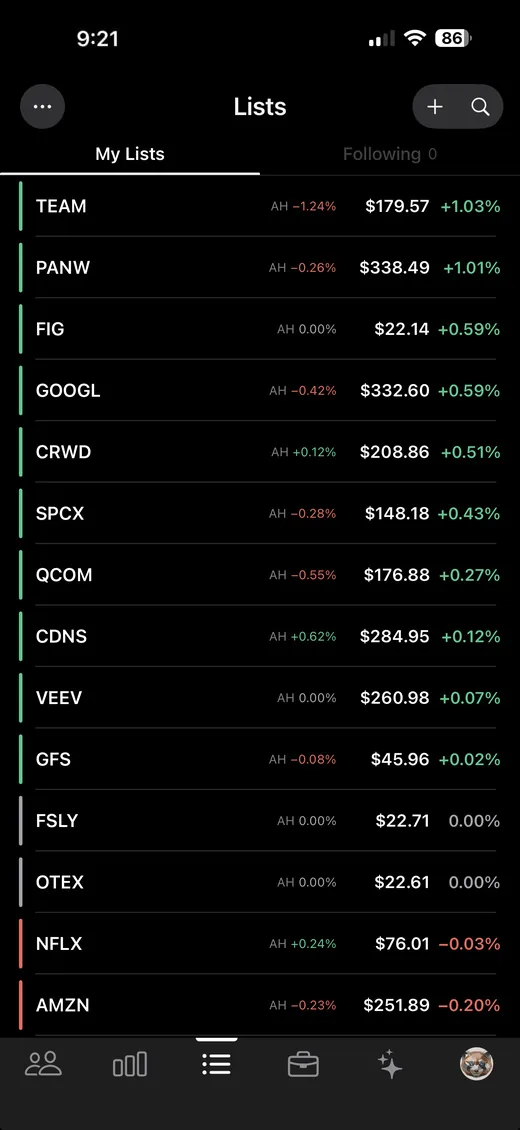
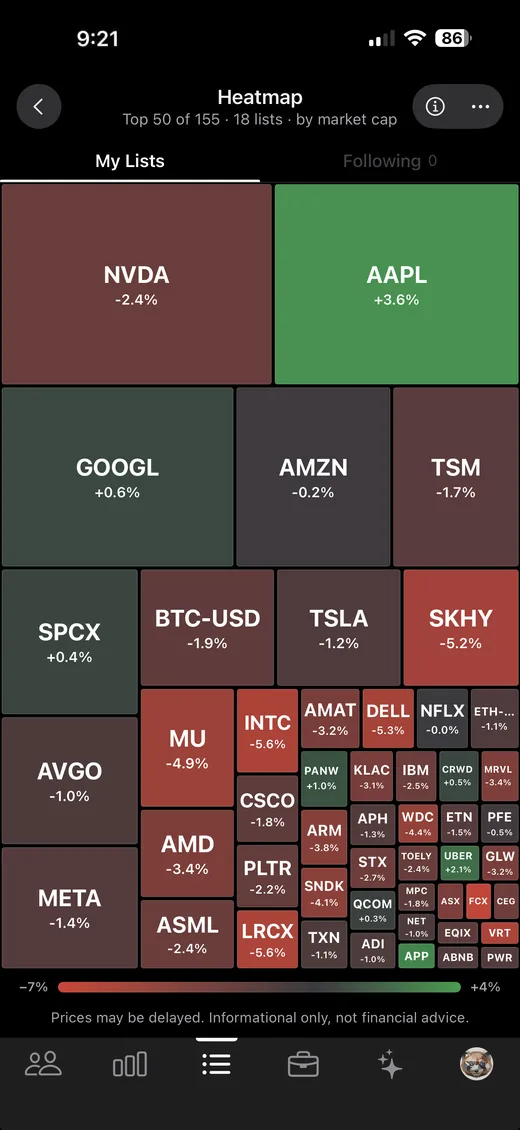
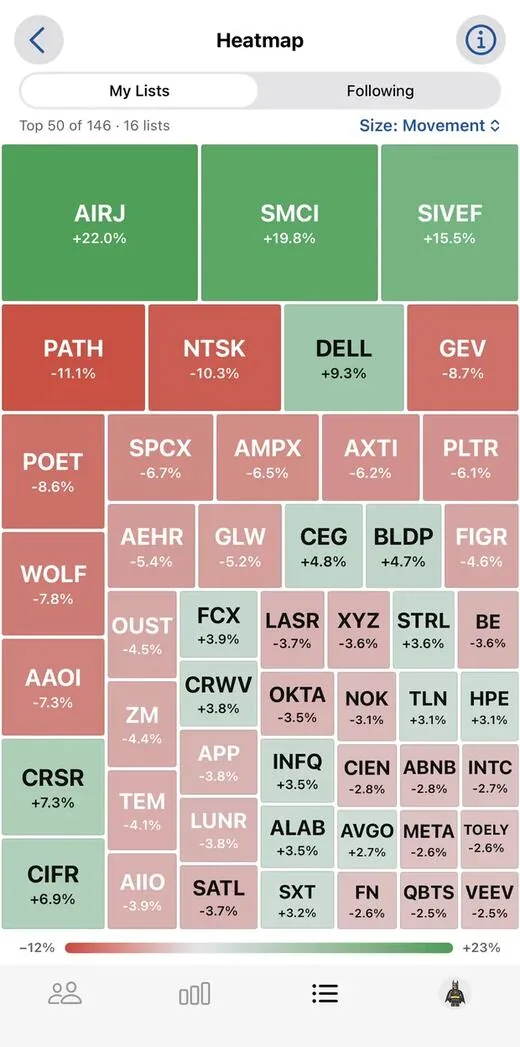
Organize names however your brain works: semis, quantum, crypto, next buys, actual holdings. Stocks, ETFs and coins sit in the same list. Follow a friend's list to see what they're watching. Flip any of it into a heatmap when you want the whole picture in one screen.

  • Unlimited lists, with icons and colors so you can find them fast.
  • Follow a friend's list instead of asking what they're in.
  • Heatmap by movement or market cap, tap a tile to go deeper.
The Lists tab with watchlists named Favorites, Semi Conductors, Quantum, Data centers, Next Buy and more, each showing a ticker count. A heatmap of the tickers across all lists, sized by movement, with green tiles for gainers and red for decliners.

Lessons

Built for beginners, two minutes at a time.

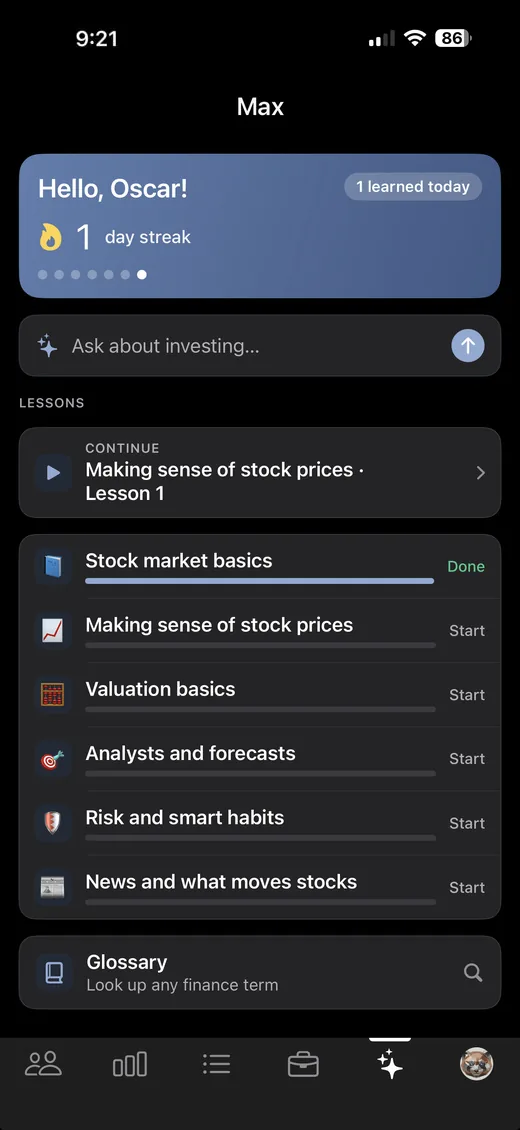
Six short courses, 28 lessons, for someone who has never bought a stock. Each one is a couple of minutes of plain English and one question at the end to check it landed. Start at what a stock is, finish knowing why a company can beat earnings and still drop.

  • Basics first, then the rest. Stock market basics, prices, valuation, analysts, risk, and what news actually moves.
  • Pick up where you left off, with progress per course and a streak if that's what keeps you going.
  • A glossary of 82 terms for the word you hit in the group chat and didn't want to ask about.
  • Max is right there when a lesson raises a question it doesn't answer.
The Max hub showing a day streak, an ask box, a Continue button for Stock market basics lesson 5, and six courses: Stock market basics at 80 percent, Making sense of stock prices, Valuation basics, Analysts and forecasts, Risk and smart habits, and News and what moves stocks, plus a glossary.

And the rest of it

The details you'd miss if they weren't there.

Alerts worth the buzz

Earnings dates, analyst upgrades, breaking news, and when a name your group watches makes a move. Tune each type, or turn it all off.

It feels like Messages

Bubbles, tapback reactions, threaded replies, typing dots, unsend. Nothing new to learn on day one.

Search that finds it

Every message and every ticker ever mentioned in the thread, searchable in one field.

No feed, no followers

Your thread is invite-only. There is nothing public, nothing to discover, and no strangers replying to your trades.

No ads, no data sale

No advertising SDKs in the app, no analytics SDK in the app, no selling your data. We don't want your contacts or your location.

Nothing to connect

StockChat does not connect to a brokerage and places no trades. There is nothing to link and no credentials to hand over.

FAQ

Reasonable questions.

What does it cost?

Nothing during the beta. Every feature on this page is free for testers.

I'm new to investing. Will I be lost?

That's exactly who Learn mode is for. Switch it on and every figure on a stock's page becomes tappable, with a plain-English explanation built around that company's actual numbers, so the card teaches you as you read it instead of sending you off to look things up. There is also a stock market simulator if you would rather learn by doing than by reading.

Does it do crypto?

Yes. Write the pair with the dollar quote, like $BTC-USD, $ETH-USD or $SOL-USD, and you get the same card in the thread that a stock gets, plus a full page with a scrubable chart out to five years, market cap, circulating supply and a short explanation of what the coin is. Coins go in your watchlists next to your stocks, they show up on the group's leaderboard, and you can ask Max about them. A bare $BTC is read as a stock ticker, which is why coins carry the -USD. The 33 largest coins are suggested as you type, and most others still resolve if there's pricing for them.

Why TestFlight and not the App Store?

StockChat is in open beta: anyone can install it, no invite needed. TestFlight is Apple's official way to distribute a beta. It's a free app from Apple. Install it first, then the link installs StockChat. An App Store release is the plan.

Do I have to connect a brokerage account?

No. StockChat has no brokerage integration today, asks for no financial credentials, and executes no trades. It's a conversation about stocks, not a place to buy them. If you want to practise without risking anything, there is paper trading built in: simulated money, real prices.

Can strangers find my group?

No. There is no public feed, no directory, no follower counts, and no way to browse other people's groups. The only way in is an invite link from someone already in the thread. Anyone holding that link can join, so send it deliberately.

Who can see my group's messages?

The people holding your group's invite link, so share it only with people you mean to include. There's no public feed and no discovery, and message text is encrypted both in storage and inside notifications. For the full detail on how messages are stored and who can access what, read the privacy policy.

Is this investment advice?

No. StockChat is informational and educational. It isn't a broker-dealer or an investment adviser, nothing in it is a recommendation, and market data can be delayed or wrong. Your money, your call.

Is there an Android version?

Not today. It's iPhone only, and built natively for iOS.

Get in while it's still small.

Install TestFlight, install StockChat, start a group, send your friends the link. About two minutes, and the walkthrough does the ordering for you. Your group, your thread, nobody else in it.

Join the beta

Free · iPhone · no invite needed